Workflow Automation & Internal Tools
Targeted tools that take the repetitive parts out of a process that already works — the routing, the chasing, the copying between documents and the checking that somebody has done something.
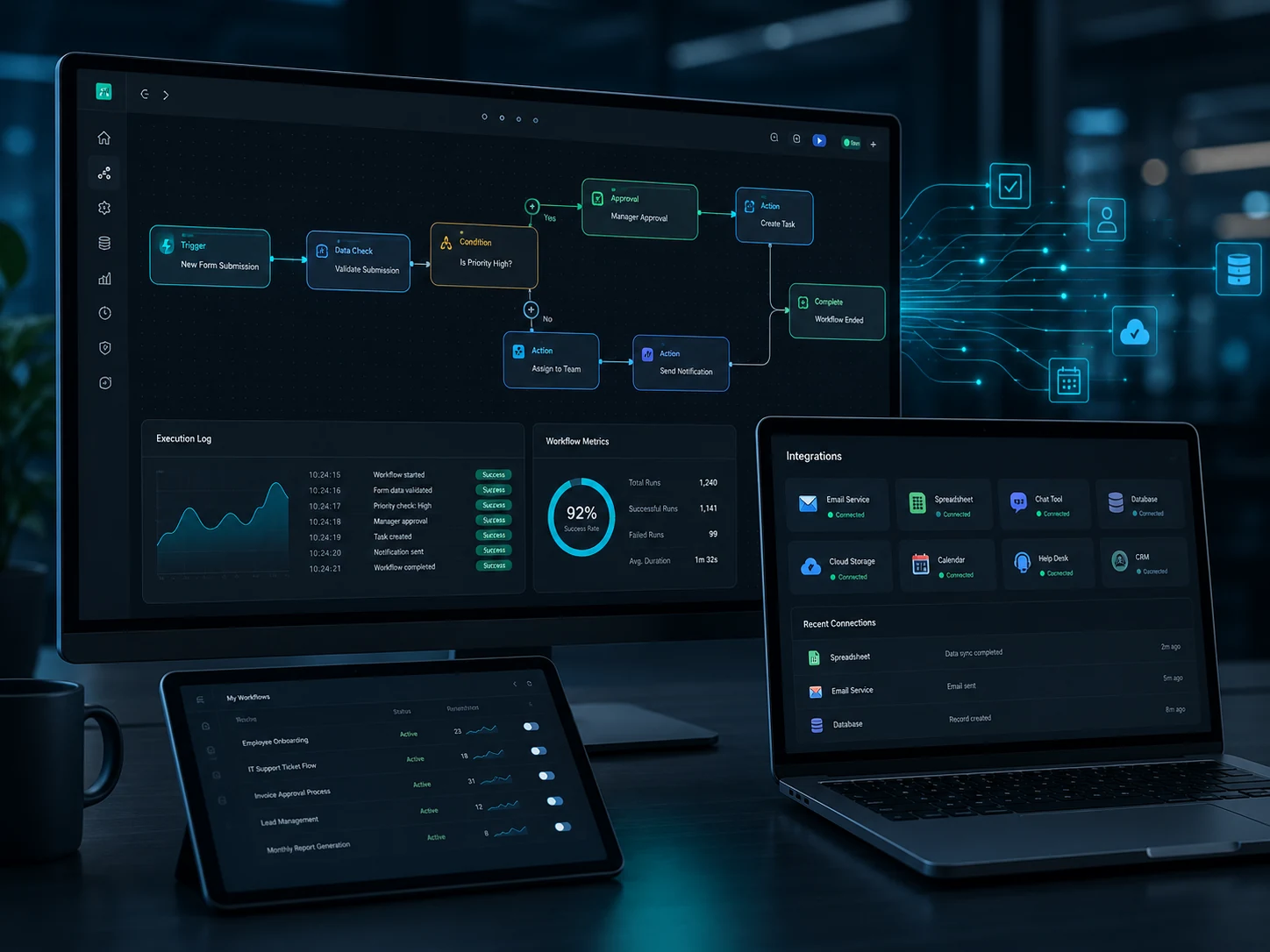
The situation this service is built for
Somebody in the organisation spends a measurable part of every week doing something a machine could do: copying details from a form into a spreadsheet, producing the same document with three fields changed, sending the same reminder to the same people, or checking whether a step has been completed before allowing the next one to start.
This work is rarely difficult. It is simply repetitive, unrewarding and easy to get slightly wrong when the person doing it is busy. Its cost is invisible because it is spread across the week and across several people.
Automation is worth doing when the process is stable, when it happens often enough for the saving to accumulate, and when the rules can be stated clearly. If a step depends on judgement that changes case by case, it is better supported than automated — and the honest answer during scoping will say so.
Problems this service may address
- Manual re-keying between systemsThe same information typed twice or three times, with the transcription errors that inevitably follow.
- Work waits on somebody noticingTasks sit unattended because there is no signal that they are ready, only a habit of checking.
- Documents assembled by handQuotations, confirmations and reports built by copying a previous file and editing it, so old details survive into new documents.
- Approvals chased by emailProgress depends on somebody remembering to follow up, and the record of who approved what is scattered.
- Bad data enters at the startIncomplete or inconsistent submissions cause work later, because nothing checks them at the point of entry.
- Routine tasks depend on memoryWeekly or monthly jobs happen when somebody remembers, which is usually but not always.
- No visibility of where things standStatus can only be established by asking, which interrupts two people to answer one question.
What automation can cover
Possible functions
- Automatic task routing based on defined rules
- Notification workflows to the right person at the right point
- Document generation from structured data
- Approval steps with a recorded decision trail
- Data validation at the point of entry
- Internal request forms replacing email requests
- Scheduled operations that run without prompting
- Operational status tracking visible to the whole team
Typically included in scope
- Process analysis and suitability assessmentAn honest view of which steps should be automated and which should not.
- Rule definitionThe conditions, routes and exceptions written down precisely enough to implement.
- Tool developmentBuilding the forms, rules, generators and notifications agreed in the scope.
- Exception handlingWhat happens when a case does not fit the rules — the part that determines whether people trust the tool.
- Testing with real casesVerification against actual historical examples, including the awkward ones.
- Handover documentationHow the rules work, how to adjust the adjustable parts, and what to do when something fails.
What is not automatically included
- Rewriting the underlying processAutomation follows an agreed process. Redesigning that process is consultancy work and is scoped separately.
- Changes inside third-party systemsWhat can be automated in another provider's product is limited to what that product's interface and terms permit.
- Decisions requiring human judgementSteps that depend on interpretation are supported with better information, not replaced by rules.
- Historical data clean-upCorrecting existing records so they satisfy new validation rules is a separate piece of work.
- Bulk messaging or marketing automationOutbound campaign tooling is a different discipline and is not offered under this service.
- Guaranteed time savingsExpected effects are estimated honestly during scoping; no specific saving is guaranteed.
Engagement process
Process observation
Watching the work as it is actually done, including the workarounds people have developed. Automating the documented process rather than the real one is the most common way this service fails.
Suitability assessment
Each step is classified: automate, support, or leave alone. Steps depending on judgement, or occurring rarely, generally fall into the third group and the reasoning is given.
Rule definition and proposal
Conditions, routes, exceptions and notifications are written out precisely. Ambiguity here becomes a defect later, so this stage is deliberately pedantic. The proposal follows with price and timescale.
Build and dry run
Tools are developed and run against historical cases without affecting live work, so the output can be compared with what people actually did.
Parallel operation
Where the process matters, the automation runs alongside the manual method for an agreed period. Confidence is earned through evidence rather than assertion.
Switch-over and handover
The manual method is retired, documentation is handed over and the team is shown how to adjust the parts designed to be adjustable.
Expected deliverables
- The working toolsForms, rules, generators, notifications and scheduled jobs, deployed to the agreed environment.
- A written rule specificationEvery condition and route recorded, so behaviour can be verified rather than guessed at.
- Exception procedureWhat the system does with cases outside the rules, and what a person should do about them.
- Source code for the custom workDelivered in a repository, with ownership addressed in the written agreement.
- Dry-run comparison resultsAutomated output compared against historical manual output, with any differences explained.
- Handover documentation and walkthroughWritten and live, covering routine adjustment and failure recovery.
Client responsibilities
- Access to the people who perform the process, including during busy periods when the workarounds are visible
- Real historical examples — a representative set, not only the straightforward ones
- Authority to confirm the rules, particularly where two departments describe them differently
- Credentials or access for any system the automation must read from or write to
- A named owner for exceptions after handover
- Willingness to run the parallel period rather than switching over immediately
Factors that affect scope and price
Increase scope
- Rules with many conditional branches or exceptions
- Automation spanning several systems rather than one
- Document templates with complex conditional content
- Approval chains that vary by value, department or customer
- Strict requirements for audit trails and retention
- A long parallel-running period before switch-over
Keep scope lean
- One well-understood process with stable rules
- A single system involved, or none at all
- Exceptions routed to a person rather than handled by further rules
- Standard notification content rather than personalised variants
- Automating the highest-volume step first and reviewing before extending
Suitability depends on what exists. Whether a process can be automated depends on the process itself and on the systems already in place. Some steps cannot be automated safely, and where that is the case it is stated during the suitability assessment rather than after a build.
Pricing notice. All prices are indicative starting points. Final pricing depends on project scope, complexity, integrations, documentation, timescale and agreed deliverables. Applicable taxes and third-party costs are confirmed in the written proposal where relevant.
After delivery
Settling period
A defined period after switch-over during which behaviour that does not match the agreed rules is corrected at no additional charge.
Rule adjustment
Rules change as the business changes. Adjustable parameters are exposed where possible; structural changes are quoted as change requests.
Next process
Once one process is automated and trusted, the next is usually faster to scope because the groundwork already exists.
Questions about this service
Three questions usually settle it. Does the step follow rules that can be written down? Does it happen often enough for the saving to matter? Do the systems involved allow it — either because the data is already accessible or because it can be captured at the point of entry?
Where the answers are unclear, the suitability assessment at the start of the engagement establishes them before any build is committed.
The design assumption is the opposite: automation removes the repetitive parts so that attention goes to the parts requiring judgement.
Manual override is included wherever it is sensible, and exceptions are routed to a person rather than forced through a rule. Tools people cannot override are tools people work around.
Sometimes. It depends on whether each system provides a documented interface and whether its terms permit the intended use. That is assessed before the project is confirmed rather than assumed.
Where connections are central to the requirement rather than incidental, API-Connected Portals & Data Hubs is usually the more appropriate service.
Failure handling is designed in, not added later. Failures are recorded, a named person is notified, and the affected item is held in a recoverable state rather than disappearing.
The handover documentation describes what each failure type means and what to do about it, so a routine problem does not require developer involvement.
An estimate is given during scoping, based on observed frequency and the time each step currently takes. It is an estimate, presented with its assumptions.
No specific saving is guaranteed. Actual effect depends on volume, on how consistently the tool is used, and on whether the time released is redirected to something useful — which is a management question rather than a technical one.
Continue
Services that often accompany this one
Service enquiry
Name the task nobody enjoys doing
Describe the repetitive step, roughly how often it happens and which systems it touches. That is enough to judge whether automation is worthwhile.
- Telephone
- +44 7853 151 992
- support@devnovasolutions.tech
- Registered office
- 66 Paul Street, London, England, EC2A 4NA, United Kingdom